I Replaced $500/Month in SEO Data With Free Google APIs - Here's the Setup
By Agrici Daniel | March 28, 2026
claude-seo v1.7.0 and claude-blog v1.6.5 now integrate 9 Google APIs for free. PageSpeed, CrUX, Search Console, GA4, YouTube, NLP - all at $0.0006/query. Here's how I wired it all together.

Ahrefs charges $499/month for SEO data. Semrush charges $449/month. Between the two, that's $11,376 per year for data that Google literally gives away for free through its own APIs.
I just shipped the biggest update to claude-seo and claude-blog since launch. Both tools now connect directly to 9 Google APIs, pulling the same data that powers Google's own ranking algorithms. The cost? About $0.0006 per query. At 1,000 queries per day, that's $18/month. That's not a typo.
Here's what changed, why it matters, and how to set it up in 5 minutes.
What Changed in v1.7.0 and v1.6.5
Both tools shipped a new Google API sub-skill on the same day:
- claude-seo v1.7.0 added
seo-google- 21 commands, 11 Python scripts, PDF report generation, SSRF protection, and a new subagent that activates automatically during audits when it detects Google API credentials. 10 reference documentation files ship with it. - claude-blog v1.6.5 added
blog-google- 13 commands, 11 Python scripts, YouTube video auto-discovery and embedding, and VideoObject JSON-LD schema generation. Also cleaned up all 22 skill frontmatters for Claude Code plugin compliance.
Both share a single config file at ~/.config/claude-seo/google-api.json, so you set up credentials once and both tools use them. If you've read how claude-seo replaced my $300/month SEO stack or how claude-blog replaced my blog writer, this is the next evolution: first-party Google data piped directly into the audit and content pipelines.
The 9 APIs (And Why They're All Free)
Google offers these APIs with generous free quotas because they want developers building on their platform. Here's what we wired in:
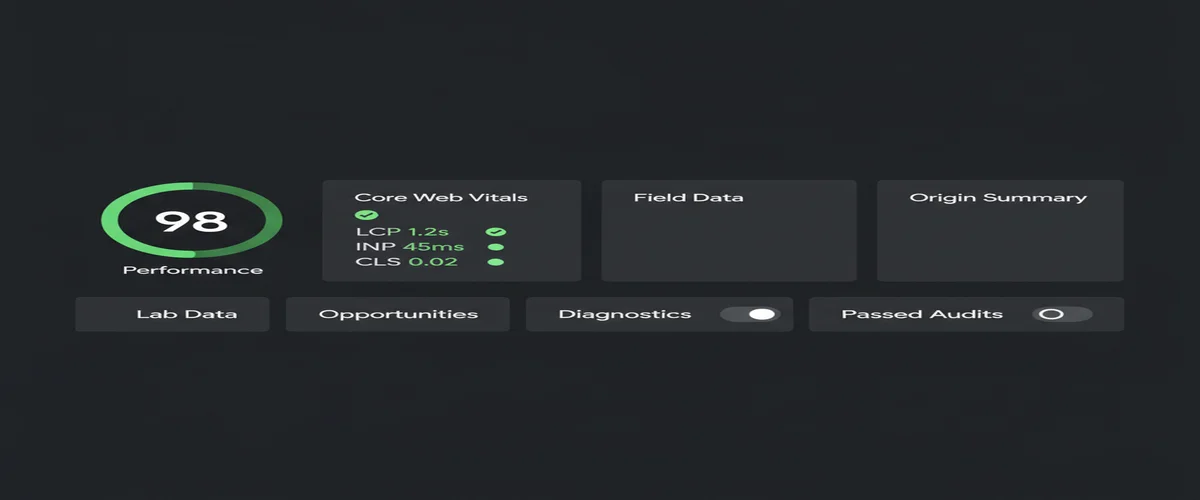
- PageSpeed Insights API - Lighthouse lab scores plus CrUX field data in a single call. 25,000 queries/day free.
- Chrome UX Report (CrUX) API - Real Chrome user metrics: LCP, INP, CLS, TTFB, FCP. This is the actual data Google uses for Core Web Vitals ranking signals. 25-week historical trends included.
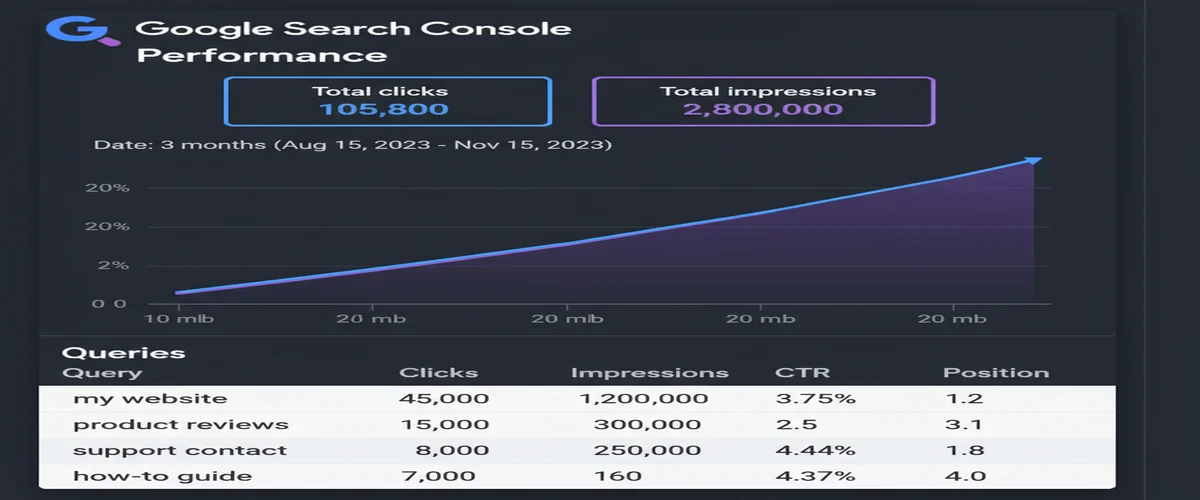
- Search Console API - Queries, clicks, impressions, average position. 1,200 queries per minute per site.
- URL Inspection API - Real indexation status, crawl details, mobile usability, canonical selection. Know exactly how Google sees your page.
- Indexing API - Submit URLs for immediate indexing instead of waiting for the next crawl cycle. 200 URLs per day.
- GA4 Data API - Organic traffic, sessions, pageviews, bounce rate, engagement metrics.
- Cloud Natural Language API - NLP entity extraction and sentiment analysis. Understand which entities Google associates with your content and optimize for E-E-A-T.
- YouTube Data API - Video search, metadata, view counts, channel authority. Powers the auto-embed feature in claude-blog.
- Google Ads Keyword Planner API - The gold standard for search volume data. Actual Google query volumes, not third-party estimates.
Every one of these APIs has a free tier that covers normal usage. You don't need a credit card for the first 8. Keyword Planner requires a Google Ads account (free to create), though the developer token approval process takes a few days.
Official documentation for each: PageSpeed Insights API, CrUX API, Search Console API, Indexing API, GA4 Data API, Cloud NLP API, YouTube Data API, Keyword Planner API.
The Cost Math That Changes Everything
Let me make this concrete. Here's what the major SEO platforms charge annually for data that Google's own APIs provide for free (or near-free):
But here's the part nobody talks about: the Google API data is actually better. When you check Core Web Vitals through Ahrefs or Semrush, they're running their own Lighthouse tests from their servers. That's synthetic lab data. When you use the CrUX API, you get real Chrome user metrics, the same dataset Google uses to evaluate your site for ranking. First-party source data vs third-party approximation. The free option is the authoritative one.
Same with Search Console data. Ahrefs estimates your search traffic based on keyword position tracking. Search Console gives you the actual clicks and impressions from Google's own logs. There's no estimation involved. You're reading from the source.
YouTube Embedding and AI Visibility
This is the feature in claude-blog v1.6.5 that I'm most excited about. YouTube mentions have a 0.737 correlation with AI search visibility, based on a 75,000-brand study. That's the strongest single signal found. Stronger than FAQ schema, stronger than answer-first formatting, stronger than anything else tested.
More supporting data: video citations in AI Overviews are up 414% year-over-year (BrightEdge Q1 2025). How-to video citations up 651%. YouTube gets cited 200x more than any other video platform by AI systems. Pages with embedded video have a 53x higher chance of front-page ranking (Forrester).
So claude-blog v1.6.5 now automatically discovers and embeds relevant YouTube videos in every blog post it creates. Here's how it works:
- Auto-discovery - During the research phase, claude-blog searches YouTube via the Data API for videos relevant to your post topic. It scores each video on relevance, view count, recency, channel authority, and engagement. Only videos scoring above 50/100 get embedded.
- Lazy loading - Uses the
srcdocpattern instead of standard YouTube embeds. Initial payload is ~5KB versus ~500KB for a standard iframe. That's a 99% reduction in initial page weight per embed. - AI crawler fallback - A
<noscript>tag renders the video title, channel, and description as plain text. GPTBot, PerplexityBot, ClaudeBot, and Google-Extended can all see and cite the video content even without JavaScript. - VideoObject schema - Generates JSON-LD VideoObject for every embed, bringing the total to 7 schema types per blog page (up from 6). The schema includes duration, view count, upload date, and thumbnail URL.
The embed format supports MDX, HTML, Markdown, and Hugo. 2-3 videos per post maximum, with at least 500 words between embeds.
The 4-Tier Credential System
Not every user needs every API. So both tools use a progressive credential system - you start with the easy stuff and add more as you need it:
The config is a single JSON file shared between both tools:
// ~/.config/claude-seo/google-api.json
{
  "api_key": "AIzaSy...",
  "oauth_client_path": "/path/to/client_secret.json",
  "default_property": "sc-domain:yoursite.com",
  "ga4_property_id": "properties/123456789"
}
In claude-seo, the seo-google agent spawns automatically during audits when it detects credentials. No credentials? The audit still runs with crawl-based analysis. With credentials? You get real CrUX field data, actual indexation status, and Search Console performance metrics layered on top. Zero breaking changes - the credentials are additive.
PDF Reports for Client Deliverables
claude-seo v1.7.0 can now generate enterprise-grade PDF reports from Google API data. This was one of the most requested features from agency users in the AI Marketing Hub.
The reports use WeasyPrint for HTML-to-PDF rendering and matplotlib for charts at 200 DPI. The template is A4 format with:
- Title page with score summary
- Table of contents with section badges
- CrUX trend charts (25-week timelines)
- Performance distribution gauges
- Data tables and heatmaps
- Prioritized recommendation sections
Four report types: CWV audit, GSC performance, indexation status, or full comprehensive. Run /seo google report full and hand the PDF to your client. That's a deliverable that would cost $500+ from an SEO agency.
On the security side, all user URLs pass through a validate_url() function that blocks private IPs, loopback addresses, and GCP metadata endpoints. SSRF protection is built into every script, not bolted on as an afterthought. OAuth tokens no longer store the client secret, reading it from the client_secret.json file on each request instead. 8 credential patterns are gitignored by default - .env files, client secrets, OAuth tokens, service account keys.
How to Set It Up (5 Minutes)
The setup is the same for both tools since they share credentials. Here's the quick path to Tier 0 (5 APIs, 2 minutes):
- Go to Google Cloud Console and create a project (or use an existing one)
- Enable the APIs: PageSpeed Insights, Chrome UX Report, YouTube Data API v3, Cloud Natural Language
- Create an API key under Credentials
- Add it to your config:
mkdir -p ~/.config/claude-seo
echo '{"api_key": "YOUR_API_KEY_HERE"}' > ~/.config/claude-seo/google-api.json
Test it:
# In Claude Code with claude-seo installed:
/seo google pagespeed https://yoursite.com

# Or with claude-blog installed:
/blog google crux-history https://yoursite.com
For Tier 1 (adds Search Console, URL Inspection, Indexing API), you need OAuth 2.0 credentials. Create an OAuth consent screen in test mode (no verification needed), create OAuth client credentials (Desktop app type), download the client_secret.json file, and add the path to your config. The first time you run a Tier 1 command, it opens a browser window for authorization with a localhost:8085 callback. Takes about 10 minutes total.
Both claude-seo and claude-blog ship with a setup guide. Run /seo google setup or /blog google setup and it walks you through everything step by step, checking which APIs are enabled and which credentials are missing.
What's Next
This update brings the total to 22 sub-skills in claude-blog and 18 skills in claude-seo (15 core + 2 extensions + the new seo-google). Together, they cover the full lifecycle from keyword research to content creation to technical audit to performance monitoring, all from your terminal.
Next on the roadmap:
- Google Merchant Center API - Product schema enrichment for e-commerce SEO
- Automated weekly reports - Scheduled PDF generation via n8n integration
- Multi-property aggregation - Roll up Search Console data across multiple domains into a single dashboard view
If you're already using claude-seo or claude-blog, update to the latest version and run /seo google setup to get started. If you're new, check out my comparison of free SEO audit tools or see how both tools fit into the full AI marketing automation stack I use daily. Both tools are featured in the best Claude Code skills for 2026.
The release notes are on GitHub: claude-blog v1.6.5 and claude-seo v1.7.0.
Frequently Asked Questions
Are the Google APIs actually free?
Yes. All 9 APIs have generous free tiers. PageSpeed Insights allows 25,000 queries per day. CrUX is unlimited. Search Console allows 1,200 queries per minute per site. The only API that requires a paid account is the Keyword Planner, which needs a Google Ads account (free to create, but you need an approved developer token). At typical usage levels for a single site or small agency, you will never exceed free quotas.
How is this different from the existing claude-seo audit?
The existing audit uses crawl-based analysis (fetching your pages and parsing HTML). The Google API integration adds first-party data on top: real Chrome user metrics from CrUX, actual indexation status from URL Inspection, search performance from GSC, and organic traffic from GA4. The audit runs with or without API credentials, but with them you get authoritative Google data instead of estimates.
Do I need separate credentials for claude-seo and claude-blog?
No. Both tools share the same config file at ~/.config/claude-seo/google-api.json. Set up credentials once and both tools use them automatically. The 4-tier system is identical across both.
Can I use a service account instead of OAuth?
Yes. For Search Console, Indexing API, and GA4, you can use a Google Cloud service account instead of OAuth. This is better for automated workflows since there's no browser-based login. Create a service account, grant it access to your Search Console property, and add the JSON key path to your config. The scripts detect and use whichever credential type is available.
What about API rate limits?
The rate limits are generous for normal usage. PageSpeed: 25,000/day. CrUX: 150/min (shared with history). GSC: 1,200/min per site. Indexing: 200 URLs/day. GA4: 10 concurrent requests. YouTube: 10,000 units/day. All scripts include exponential backoff for rate limit errors. For bulk operations, the batch commands handle pagination and throttling automatically.
Related Posts
- Claude Code Just Replaced Your Entire SEO Stack - How I replaced $300/month in SEO tools with one terminal command
- Claude Code Just Replaced Your Blog Writer - Dual-optimized content for Google rankings and AI citations
- Free SEO Audit Tools That Actually Work - Genuinely free SEO audit tools that replace paid subscriptions
Join 4,500+ AI Marketing Builders
Get workflow templates, automation blueprints, and connect with SEOs, agency owners, and creators who ship.
JOIN FREE →