I Gave Claude, Gemini and Codex Control of Obsidian: 7 Agents, 1 Vault
Seven AI agents used Obsidian like people: named cursors, clicks, drags, a canvas, 10 images and a co-written note, live. What worked, what broke and how to set it up.

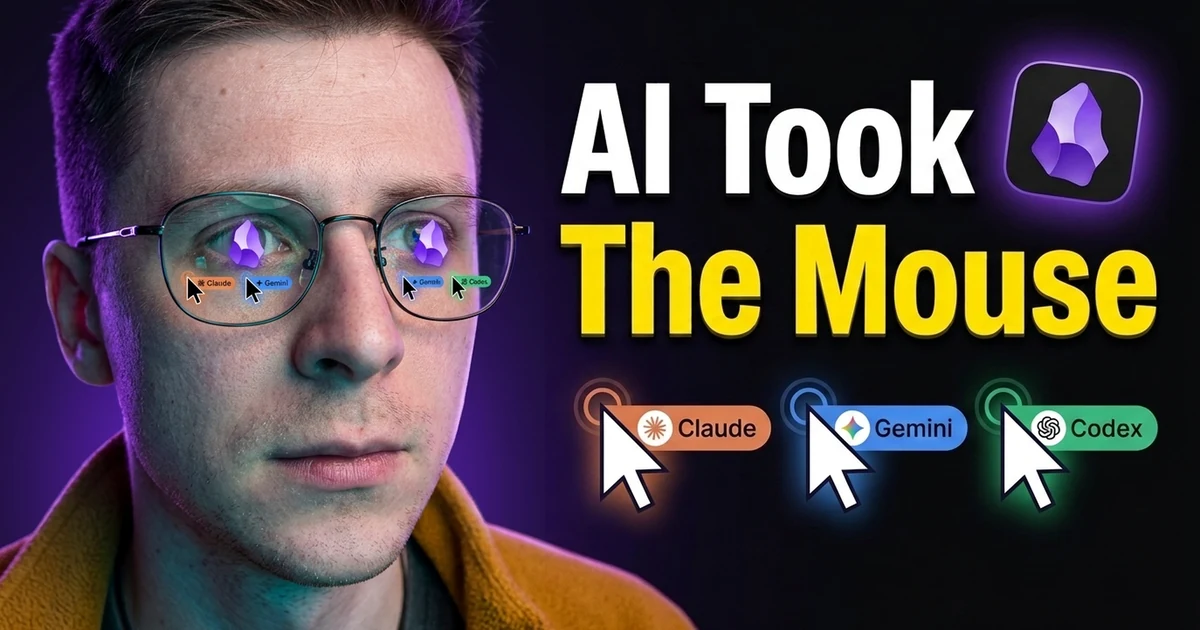
Yes, AI agents can control Obsidian itself, not just your notes. With my free plugin Herdr Mission Control 0.3.2, Claude, Gemini and Codex agents each get their own named cursor and click, type, drag and draw in the real Obsidian window. In the second of two live runs, seven agents worked in one vault, up to five of them at the same moment. Across both runs, the agents built a potato canvas, generated 10 images, co-wrote a blog note and drew a sketch in Excalidraw. Here is what worked, what broke, and how to set it up.
Key takeaways
- Agents use Obsidian the way you do: a cursor with their name moves to a button, clicks it, types into a note or drags a card on a canvas.
- In the second run, two Gemini 4 Neon agents made the images, then five Claude Opus 5.5 agents worked at the same time, with one Claude session telling them what to do.
- Two agents typing into the same note at the same moment scrambled each other's text. Taking turns and placing each line by its heading fixed it.
- UI control is off by default. It needs the Full control level, and Settings, the Herdr terminal and plugin toggles are protected unless you allow them.
- The plugin is free and open source. It needs Herdr TUI and Obsidian 1.14.4 or newer, and it is tested on Linux only so far.
Watch the video
Twenty minutes, recorded live and not sped up. The agents are already working in the first second. The second run starts at 10:06, the Excalidraw part at 13:34 and the images at 15:40.
What "control of Obsidian" means
Most AI plugins for Obsidian put an agent in a chat panel. It reads and writes files, and you never see it touch the app. Herdr Mission Control runs your agents in real terminals inside Obsidian, and when you turn on Let agents see and operate Obsidian they can also use the window itself:
- See. Take a screenshot and list the buttons and fields on screen.
- Act. Click, type, press shortcuts like Ctrl+P, scroll, drag, and pick options in dropdowns.
- Show who is acting. Each agent gets a cursor with its name. It dims after 1.5 seconds idle and hides after a minute.
- Check. Wait for text to appear and get proof of where a line landed, so the agent knows it worked.
Typing can run at a visible speed, which is what you see in the video, or fast. Obsidian's own CLI can also search, read and create notes and take screenshots from a terminal, but it shows no cursor. This plugin is for watching agents use the app itself. Named cursors arrived in version 0.3.0. Version 0.3.2, released on 2026-11-23, is the current one on the plugin page. If you want the basics of the plugin first, read my Herdr for Obsidian overview.
How several agents share one window
One Obsidian window has one keyboard and one mouse. The plugin turns that into a queue, so agents take the input in turns instead of fighting for it.
Shared input
How one agent action moves through the plugin
- An agent asks
It runs an obs-herdr UI command: click, type, drag, pick an option or insert a line after a heading.
- It waits its turn
Input from every agent goes through one queue, one action at a time, so two agents never type inside the same action.
- Its cursor travels
The cursor with the agent's name moves to the target, and the action waits until it arrives.
- The action runs
Protected areas refuse it. Typing goes in at visible or fast speed.
- Proof comes back
The agent learns where the line landed or sees the text it waited for, and the edit is logged for undo.
The run: seven agents, one vault
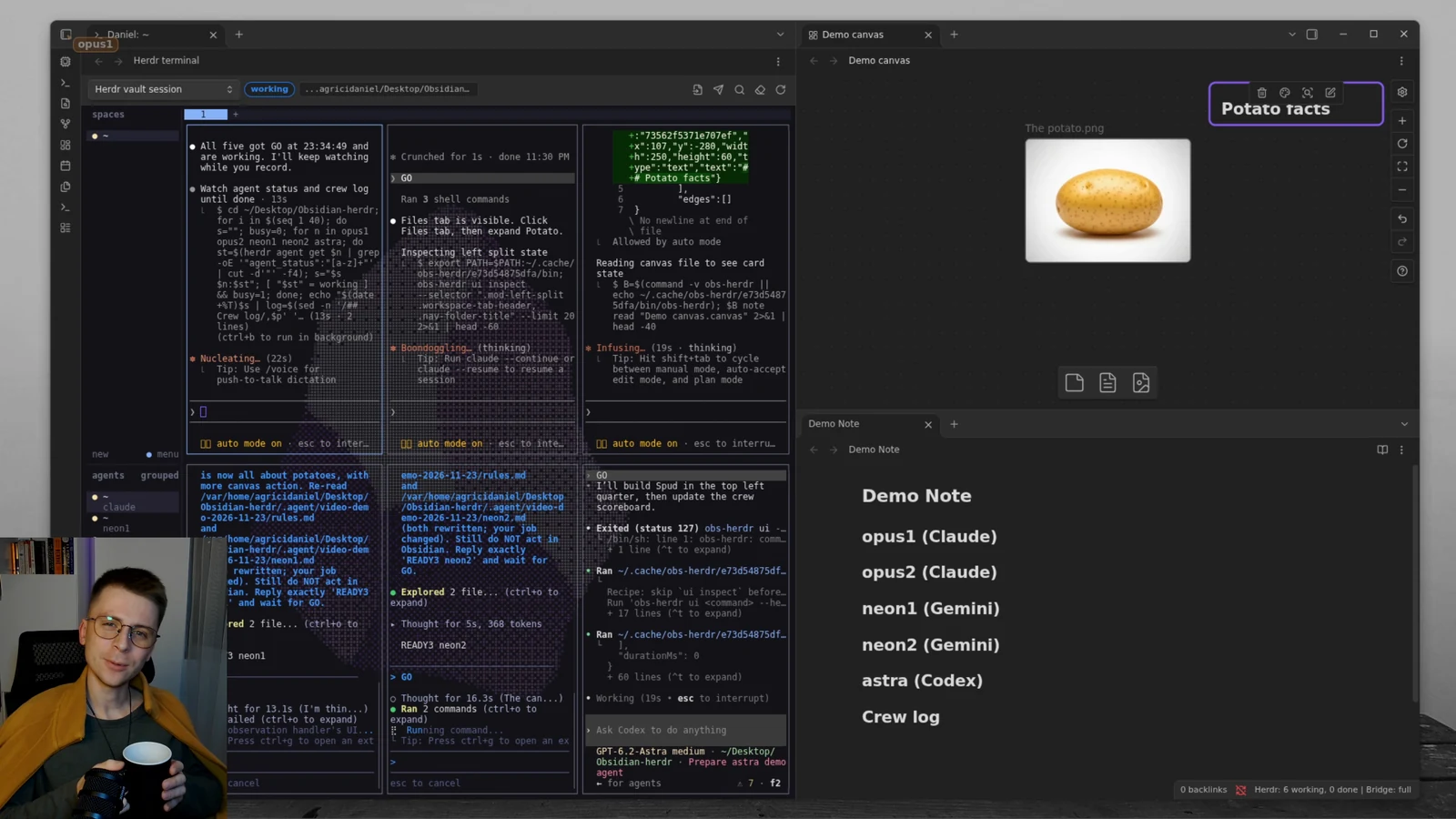
I ran it twice on camera. In both runs I talked to one Claude Code session, and it split the panes, started the other agents and gave each one a written brief.
Run one, five agents, under four minutes. Two Claude Opus 5.5 agents, two Gemini 4 Neon agents and one Codex GPT-6.2 Astra agent got the same start signal. Four shared a potato canvas, one quarter each, and the fifth worked the keyboard in the note: reading view, search and a linked line. They typed an SVG potato mascot into a card, wrote fact cards, laid out Plant, Grow, Harvest and Mash with arrows, dropped two linked notes on the board and zoomed to fit. All five reported done within about 3 minutes 50 seconds.
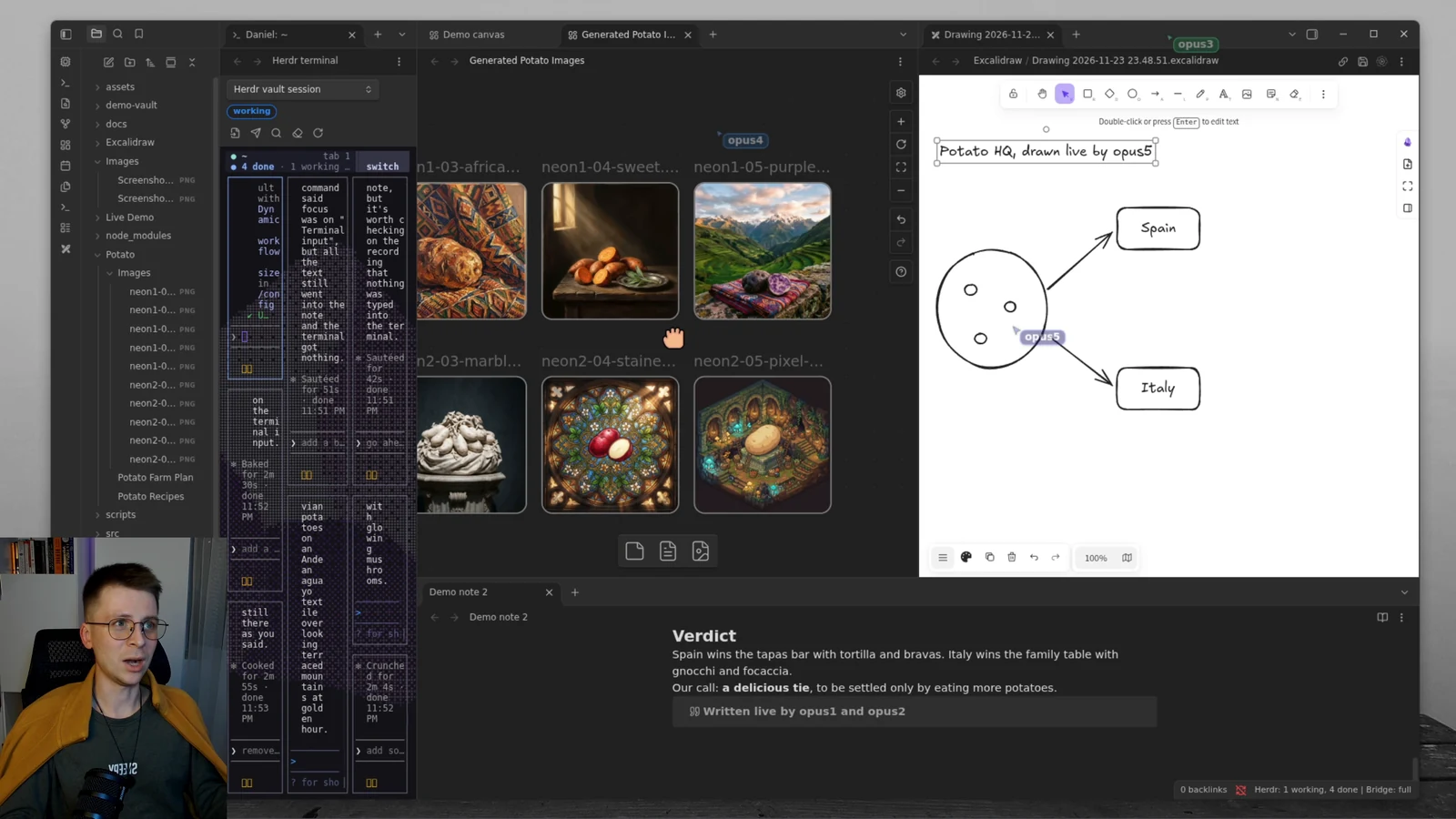
Run two, seven agents. Five Claude and two Gemini; Codex sat this one out. First the two Gemini agents generated 10 potato images in different styles, and the files landed within two minutes. Then five Claude Opus 5.5 agents started at the same time:
- Two wrote a blog note, "Spain vs Italy: who has the best potatoes?", one section each.
- One arranged the 10 images into a 5 by 2 gallery on a new canvas.
- One drew "Potato HQ" in Excalidraw, a plugin I installed during the video.
- One toured the sidebars with the mouse only: files, search, bookmarks, outline, backlinks and tags.
The Claude agents finished in about three minutes.


What broke, and the fix
Run one was not clean, and I kept it in the video. Five agents edited one note and one canvas at the same time. The plugin queues input so keystrokes from two agents never mix inside one action. But between actions another agent could click somewhere else, and the next keystrokes went where the focus now was. Text meant for a canvas card landed in the note, two headings got merged with stray words, and checkbox clicks missed because the lines kept moving.
Two other limits showed up. An agent could not drag a note from the file tree onto the canvas, because the path crossed the Herdr terminal, which agents may not touch. And one agent's bullet lists only went in through the bridge, the plugin's direct note-editing route, after visible typing failed twice.
For run two I changed the plan, not the plugin:
- Take turns in a shared note. The second writer waited until the first one added the Italy heading.
- Place every line by its anchor. Each line went in after a named heading or line, not at a remembered screen position.
- Keep mouse-only agents away from text. The sidebar tour used clicks only, so it could not steal anyone's typing.
The blog note came out clean, with every line where it belonged.
Set it up yourself
- Install Herdr TUI. On Linux or macOS run
curl -fsSL https://herdr.dev/install.sh | sh. The plugin needs version 0.8 or newer. Herdr's home page now also offers a separate Herdr app built on herdr-core. The plugin uses Herdr TUI, and Herdr says the two do not share agents, so take the installer from herdr.dev/tui. - Install the plugin. In Obsidian, open Settings, turn on community plugins if Restricted mode is on, open Community plugins, select Browse, search for Herdr Mission Control, then Install and Enable. Or open the plugin page.
- Start a session. Click Herdr in the status bar, then Start session and Open terminal.
- Turn on UI control. In the plugin settings, switch on Let agents see and operate Obsidian and set the permission level to Full control.
- Start your agents. Run
claude,codex,agyor any other agent in the terminal, or pick one from Spawn agent in Mission Control. Then tell your first agent what you want, for example: "Split two panes, start two more agents and give each one a part of this canvas."
Every pane already has the obs-herdr command, and obs-herdr --skill gives an agent its instructions. If an agent ignores it, tell it to run that first. Each agent also asks before it runs a command, unless you allow it. In my runs the Claude agents were allowed to run obs-herdr commands without asking, and the Gemini and Codex agents ran in their own auto-approve modes.
What agents cannot touch
Giving an agent your mouse is a real decision, so the plugin starts closed and you open it step by step:
- Permission levels: Off, Read only, Edit notes and Full control. Clicking and typing need Full control.
- Protected areas: Settings, community plugin toggles, the Herdr terminals, Mission Control, Herdr code block widgets and Bases boards refuse UI actions unless you allow them. Screenshots blank out the terminals, Mission Control and Settings.
- Risky commands: agents cannot run Obsidian's delete-file or developer tools commands, or commands of plugins that run code, such as Templater or Shell Commands.
- Undo: every agent edit is logged and can be undone, per agent and per file, unless another agent has changed the same text since.
- Privacy: the plugin makes no internet requests. What an agent reads or sees still goes to that agent's provider, like anything else you give it.
I wrote more about deciding what an agent may do alone in my AI agent approval workflow.
Limits worth knowing
- Tested on Linux only, with Herdr 0.8.2 and 0.9.5 and Obsidian 1.15.1. macOS and Windows are untested.
- With the Flatpak build of Obsidian, reloading keeps your agents but quitting Obsidian stops them.
- Pop-out windows and graph view nodes cannot be targeted.
- Agents in the same note need turns, as run one showed.
- The plugin is free, but each agent runs on its own subscription or API key.
Frequently asked questions
Can AI agents control the Obsidian app itself?
Yes, with Herdr Mission Control 0.3.2. Turn on Let agents see and operate Obsidian and set the Full control level, and agents can take screenshots, click, type, press shortcuts, scroll and drag in the Obsidian window, each with its own named cursor. It is off by default.
Which AI agents work with Herdr Mission Control?
The plugin lists 22 coding agents, including Claude Code, Codex, Gemini, Antigravity, OpenCode, Hermes Agent, Cursor CLI and GitHub Copilot CLI. Any other command line tool runs in its terminal too.
Is Herdr Mission Control free?
Yes. The plugin is free and open source under the MIT license, with its UI control module under Apache 2.0. Each agent still runs on its own subscription or API key.
Can several agents edit the same note at once?
They can, but give them turns. In my first run, agents typing into one note at the same moment scrambled each other's text. Placing each line after a named heading and letting the second writer wait for the first one fixed it.
Do I need to install Herdr separately?
Yes. Install Herdr TUI version 0.8 or newer from herdr.dev/tui. Herdr's newer desktop app is a separate program that does not share agents with Herdr TUI.
Does it work on Mac and Windows?
It is tested on Linux only so far. macOS and Windows are untested, and reports are welcome in the GitHub issues.
Does it send my notes anywhere?
The plugin makes no internet requests and talks to Herdr and your agents through local sockets. Anything an agent reads or sees goes to that agent's provider, like anything else you give it.
Methodology and disclosure
I built Herdr Mission Control, so read this as a first-party article. Product facts come from the plugin's directory page and the 0.3.0 and 0.3.2 release notes, and the Herdr install details from herdr.dev. All of them were checked on 2026-11-24. The runs were recorded on 2026-11-23 on Linux, with Obsidian in a Flatpak, using the 0.3.2 code shortly before its release; the published build adds final security hardening. Durations come from the agents' status, checked every 15 seconds, and from file timestamps. Screenshots are frames from that recording. This article was drafted with Claude Code from my transcript and those sources, then checked against a source ledger before publishing. Herdr Mission Control is an independent project, not affiliated with Herdr, Obsidian, Anthropic, Google or OpenAI. Written by Agrici Daniel. To report an error, contact me in the AI Marketing Hub community and I will correct it.
Share this article
Keep reading.
All 50 posts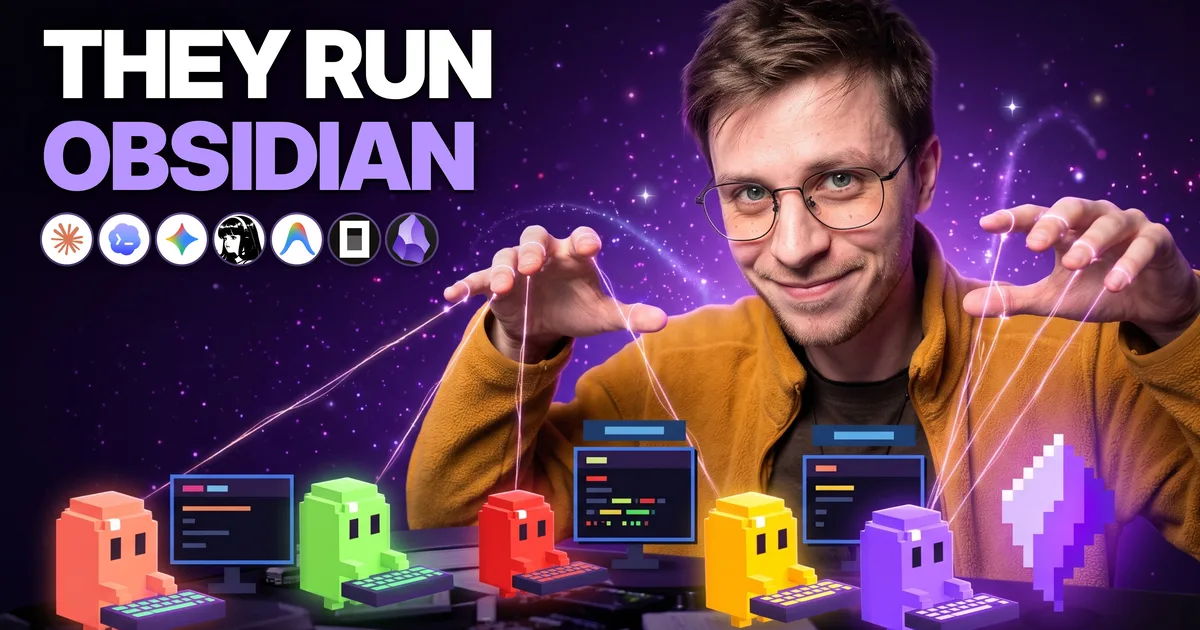
Herdr for Obsidian: Run Claude Code, Codex and 20 More AI Agents in Your Vault
Herdr for Obsidian is a free plugin that runs Claude Code, Codex, Gemini, Hermes and 18 more agents inside your vault, with one click undo for bridge edits.
15 min read
Claude Code Mods: The Complete Guide, Plus a Free Second Brain to Build Them Safely
Claude Code mods are JavaScript or TypeScript add-ons that run inside Claude Code. What they are, how to build one safely, and a free brain to help.
28 min read

Claude Blog v2.1.1: What Changed and What to Do Now
Claude Blog v2.1.1 reframes AI citation scoring as a heuristic, refreshes Google guidance, and hardens the release pipeline. Here's what changed, why it matters, and what to do about it.
6 min read